Search for "password book" and you'll find thousands of paper notebooks with alphabetical tabs — and millions of people buy them. A password notebook is honest, simple, and can't be hacked over the internet. But is writing down passwords actually safe in 2026, and is there a better password keeper that's just as easy? Let's compare fairly.
What a paper password book gets right
Let's give the notebook its due. A password book is completely offline: no data breach, no phishing email, no malware can reach a page in a drawer. There's nothing to install, nothing to update, and no account to remember. For someone who rarely leaves home, shares a house with people they trust, and has only a handful of accounts, a locked-away notebook is a genuinely reasonable password saver. Security experts agree on one point: a written-down unique password is far better than the same weak password reused everywhere.
Where a password notebook falls short
- It can be lost, stolen, or destroyed. A fire, a flood, a burglary, or a house move can take every account with it — and there is no backup.
- It's never with you when you need it. Logging in from work, a hotel, or a friend's phone means guessing or resetting.
- Anyone who opens it reads everything. A notebook has no lock. A curious guest or a roommate sees all your logins at once.
- It quietly encourages weak passwords. Nobody wants to hand-write
Xk7#pL2!vQ9m$Rw4, so notebook users pick short, memorable passwords — exactly the kind that get cracked. - Changes get messy. Crossed-out entries, arrows, and "new pw on back page" notes make the book unreliable within a year.
- No two-factor codes. More and more sites require 2FA, and a notebook can't generate a rotating code.
Password book vs notes app vs browser vs password manager
| Paper password book | Notes app | Browser (Chrome/Safari) | Password manager (DroidPass) | |
|---|---|---|---|---|
| Protected by a lock | No | Sometimes (phone lock only) | Device login | Master PIN + Face ID / fingerprint |
| Encrypted | N/A | Usually not end-to-end | Yes, tied to your account | AES-256 encryption |
| Available everywhere | Only where the book is | Your devices | Only that browser's ecosystem | iPhone, iPad, Android, Mac |
| Works offline | Yes | Yes | Mostly | Yes |
| Backup if lost | None | Cloud (unencrypted) | Cloud | Encrypted cloud backup & sync |
| Generates strong passwords | No | No | Yes | Yes |
| 2FA authenticator codes | No | No | No | Built in |
| Stores cards, Wi-Fi, notes | If you write them | Yes, unprotected | Cards only | Yes, all encrypted |
| Cost | $5–15 | Free | Free | Free (6 items) / Pro unlimited |
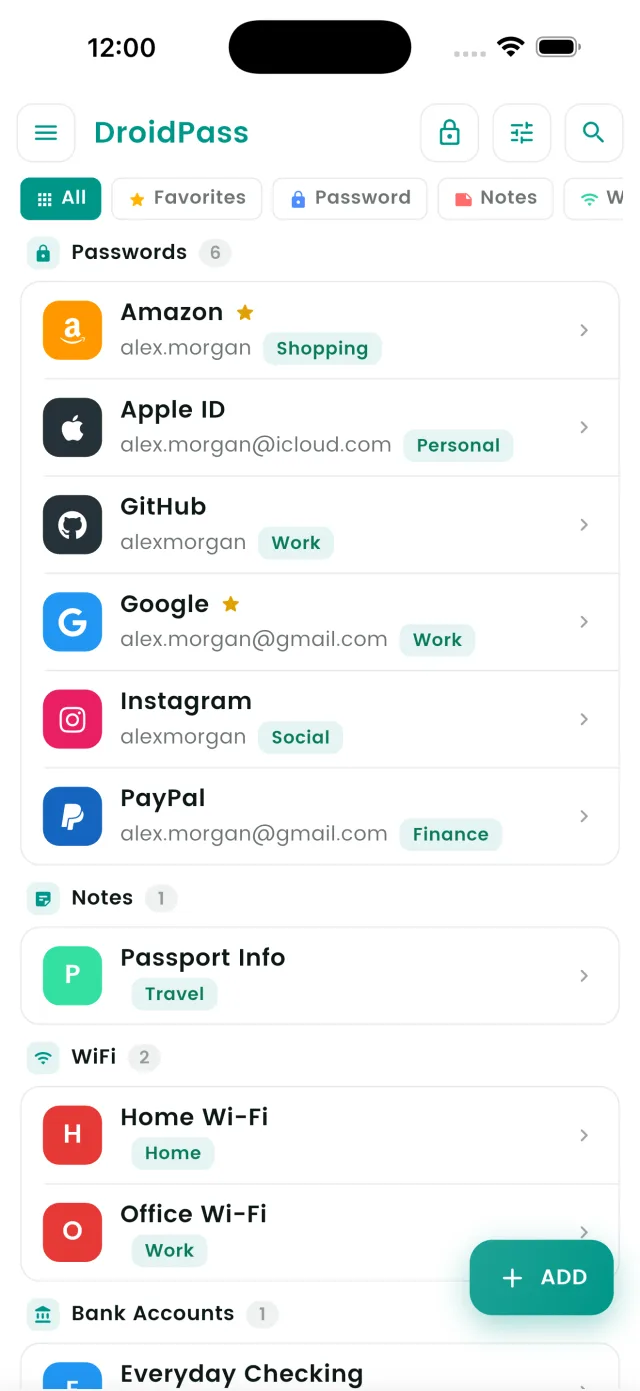
The notes app is the worst of both worlds: it's digital enough to be stolen remotely, but rarely encrypted and never locked separately from the phone. The browser is fine until you switch phones or browsers. A dedicated password manager combines the notebook's offline access with real encryption, a backup, and strong passwords you never have to type.
So, is writing down passwords safe?
Writing passwords down is safer than reusing one password, and less safe than an encrypted vault. The real question is what happens on a bad day: the day the notebook is lost, or the day a site you use is breached and you need to change twenty passwords at once. A paper book makes both days painful. An encrypted offline-capable password manager makes them a few taps.
How to move from a password book to DroidPass in an afternoon
- Install DroidPass on your phone (it's free) and set a Master PIN you'll remember. Turn on Face ID or fingerprint unlock.
- Add your most important accounts first — email, banking, phone carrier, Apple/Google. Type them from the notebook straight into the vault.
- Or import in bulk. Type your entries into a simple spreadsheet (name, website, username, password), save it as CSV, and use Settings → Import Passwords to bring everything in at once.
- Replace weak passwords as you go. For each account you open, let the built-in generator create a strong, unique password and save it. You'll never need to type it again.
- Move your 2FA codes in too. Scan the QR code from each site into DroidPass's built-in authenticator so codes appear next to the login.
- Retire the notebook — but don't burn it. Write your DroidPass Master PIN on one page, cross out the old passwords, and lock the book in a safe or drawer as your emergency recovery note.
Because DroidPass uses AES-256 encryption, your vault is scrambled on your device before it syncs anywhere. It stays accessible with no internet, and it lives on iPhone, iPad, Android, and Mac — so your "password book" is finally always in your pocket.
Replace your password book today
Free to start, encrypted from day one, and always with you.
Download for iPhone Download for Android Download for Mac