DroidPass isn't just for your phone anymore. The same encrypted vault you use on iPhone, iPad, and Android now runs on your Mac — download it free from the Mac App Store and your passwords are right there on your biggest screen.
Yes, DroidPass works on your Mac
If you have an Apple Silicon Mac (M1 chip or later) running macOS 12.4 or later, you can install DroidPass directly from the Mac App Store. It's the same free app, the same account, and the same encrypted on your device encrypted vault — no separate purchase, no desktop-only edition to manage.
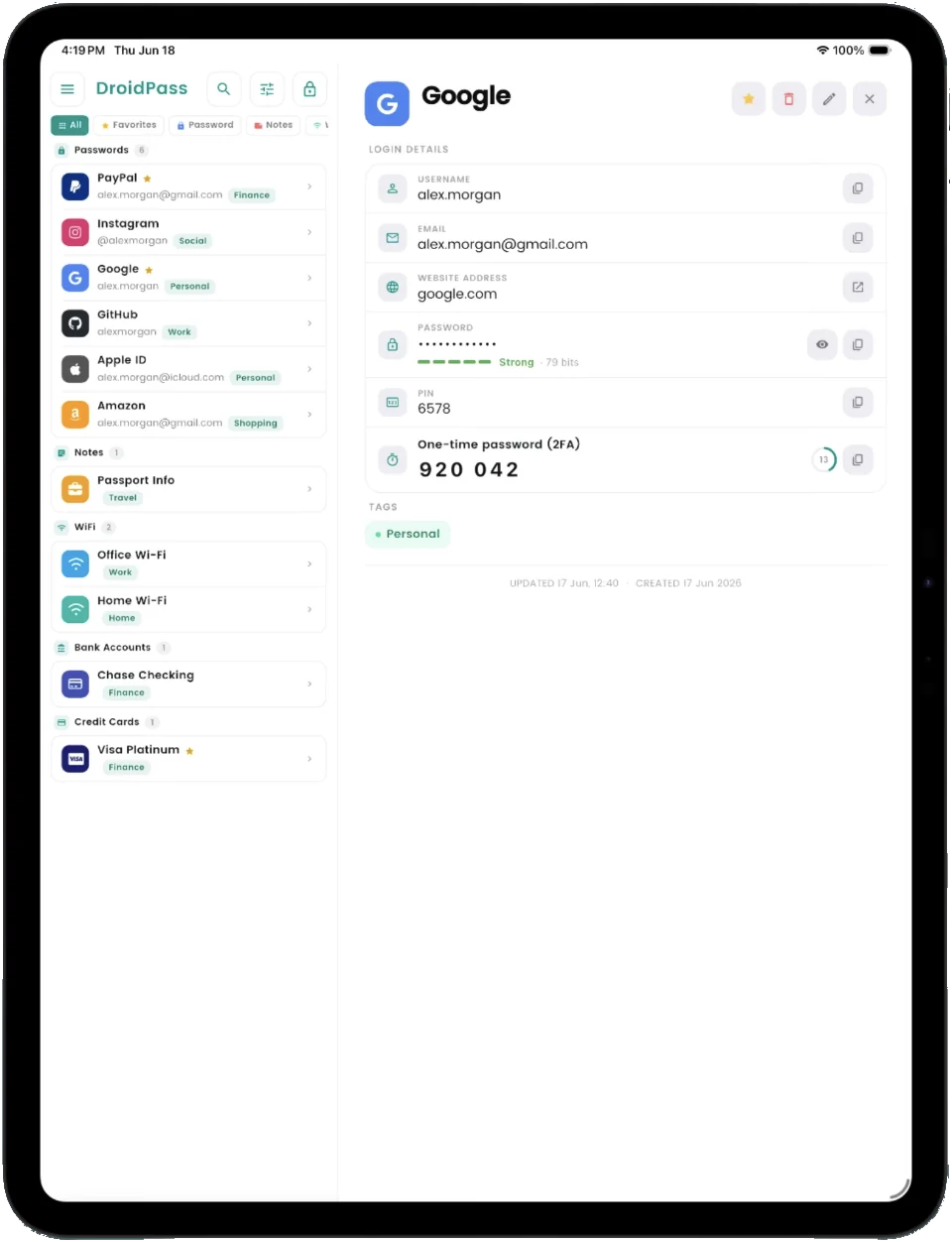
How to install DroidPass on your Mac
- Open the App Store app on your Mac.
- Search for "DroidPass Password Manager" — or open the DroidPass listing directly.
- Click Get to install.
- Sign in with your DroidPass account, and your vault syncs down automatically.
What you can do with DroidPass on Mac
- See your whole vault on a big screen. Browse, search, and organize hundreds of logins far faster than on a phone.
- Copy credentials while you browse. Keep DroidPass open next to your browser and copy usernames, passwords, and 2FA codes in a click.
- Use the built-in authenticator. Your TOTP codes are generated on the Mac too — no reaching for your phone at login time.
- Add and edit entries with a real keyboard. Bulk cleanups, secure notes, and new entries are much more comfortable on desktop.
- Generate strong passwords right where you're signing up.
- Unlock quickly. Use Touch ID on supported Macs, or your Master PIN.
AutoFill in Safari on your Mac
DroidPass also fills your passwords for you on the Mac. Click into a sign-in form in Safari and your saved login appears in the menu under the field, so you pick it and you are in. Turn it on under General, then AutoFill & Passwords, in System Settings. Our step-by-step guide to AutoFill on Mac walks through it with screenshots.
One encrypted vault across every device you own
This is the real advantage. Apple's iCloud Keychain is fine — until you also use an Android phone or tablet. DroidPass syncs one AES-256 encrypted vault across Mac, iPhone, iPad, and Android, so mixed-device households and people with an Android phone plus a MacBook finally get one password manager that covers everything. Add a login on your phone during your commute, and it's already on your Mac when you sit down at your desk.
And because DroidPass works fully offline, your vault stays available on your Mac even without an internet connection.
Is it secure on a Mac?
Yes — the Mac version uses the exact same security model as the mobile apps: AES-256 encryption, encrypted on your device architecture (your Master PIN never leaves your device), and biometric unlock. Your data is encrypted before it ever syncs, so what's stored in the cloud is unreadable without your keys.
Get DroidPass on all your devices
One free app, one encrypted vault — Mac, iPhone, iPad, and Android.
Download for Mac Download for iPhone Download for Android