Delete your account
Settings has both Delete All Records, which empties the vault but keeps the account, and Delete Account, which removes the account too.
Why this matters
Two different things live next to each other here: emptying the vault, and removing the account itself. Only one of them leaves you able to sign in.
Steps
- Open Settings and scroll to the bottom.
- Choose Delete All Records to empty the vault, or Delete Account to remove everything.
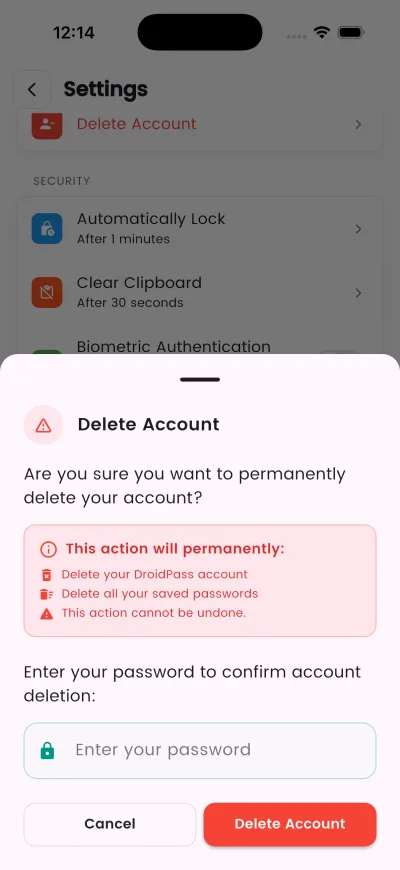
- Are you sure you want to permanently delete your account?
- Confirm your identity — with your password, or by signing in with Apple or Google.
What happens next
All your saved passwords will be permanently deleted and cannot be recovered.
If it does not work
- A subscription is billed by Apple or Google, not by us, so deleting the account does not cancel it. Cancel in the App Store or Google Play first.
Good to know
- This action cannot be undone.
- You'll be asked to sign in with Apple to confirm your identity before deletion.
- DroidPass has no export: there is no CSV, and sending the vault to another password manager is turned off. Anything you want to keep, copy out by hand before you delete.
- Deleting the account does not cancel a subscription. Cancel that in the App Store or Google Play.